Tour
What Binfera looks like on a real sample. Every picture on this page is the WannaCry demo from the landing page, so you can open it and follow along in your own browser.
The overview
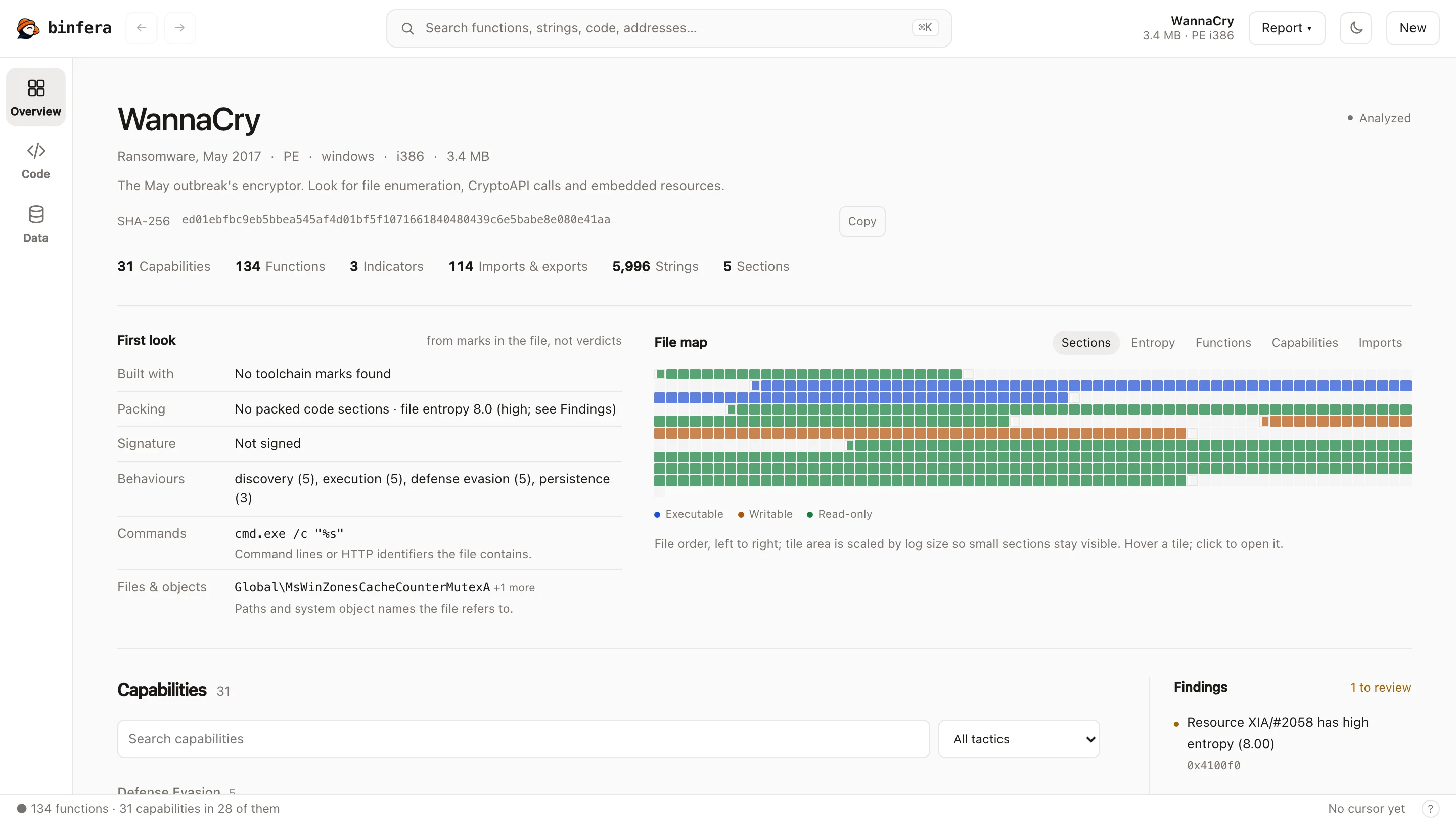
Opening a file lands here: what it is, a first look at how it was built and packed, a map of the file, and every capability grouped by ATT&CK tactic. Findings flag what deserves a second look, such as WannaCry's 3.3 MB resource with an entropy of 8.0.
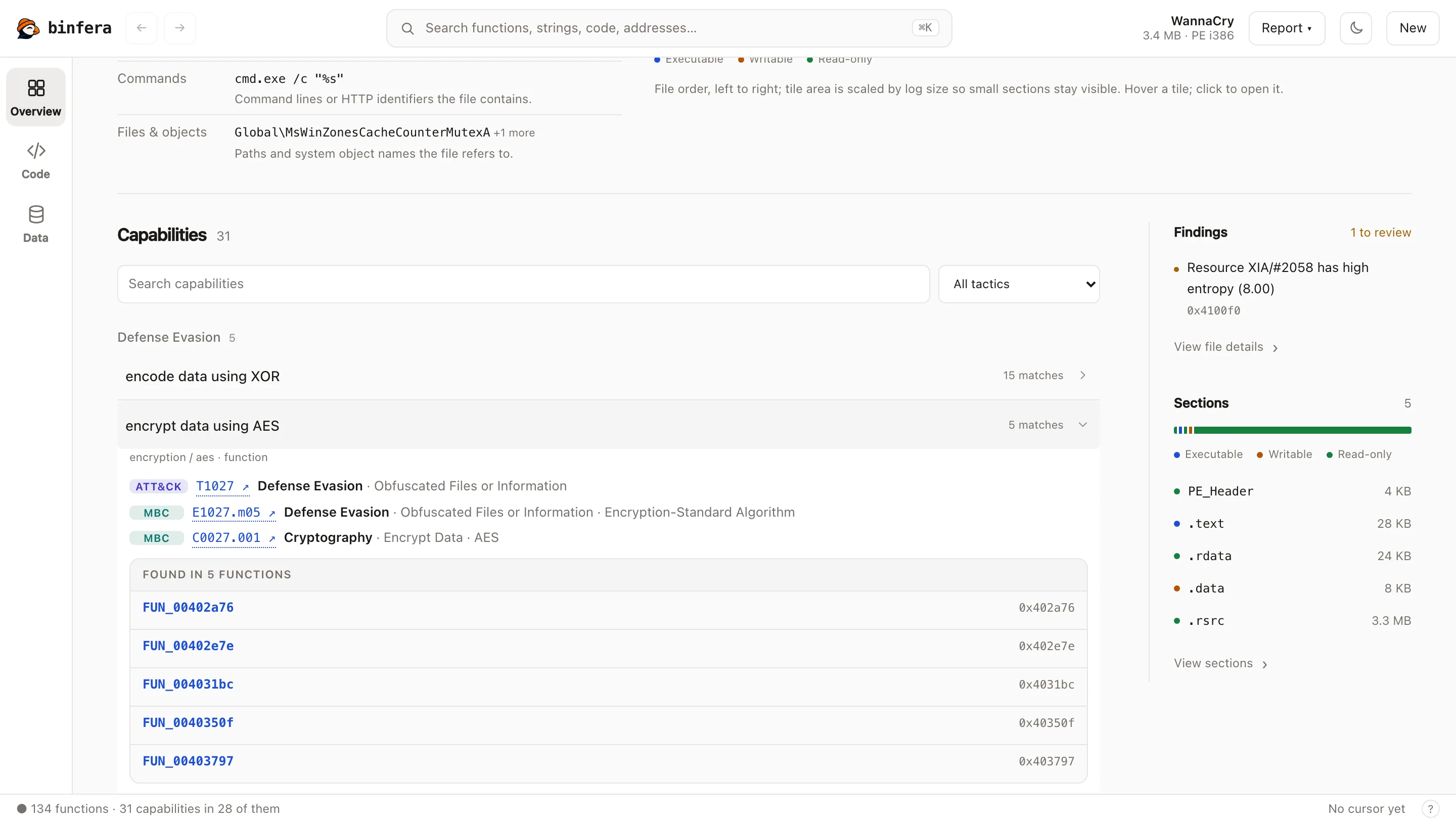
Capabilities on the code
Each capability carries its ATT&CK and MBC ids and lists the functions that implement it. One click opens that function.
Decompiled C, assembly and the graph
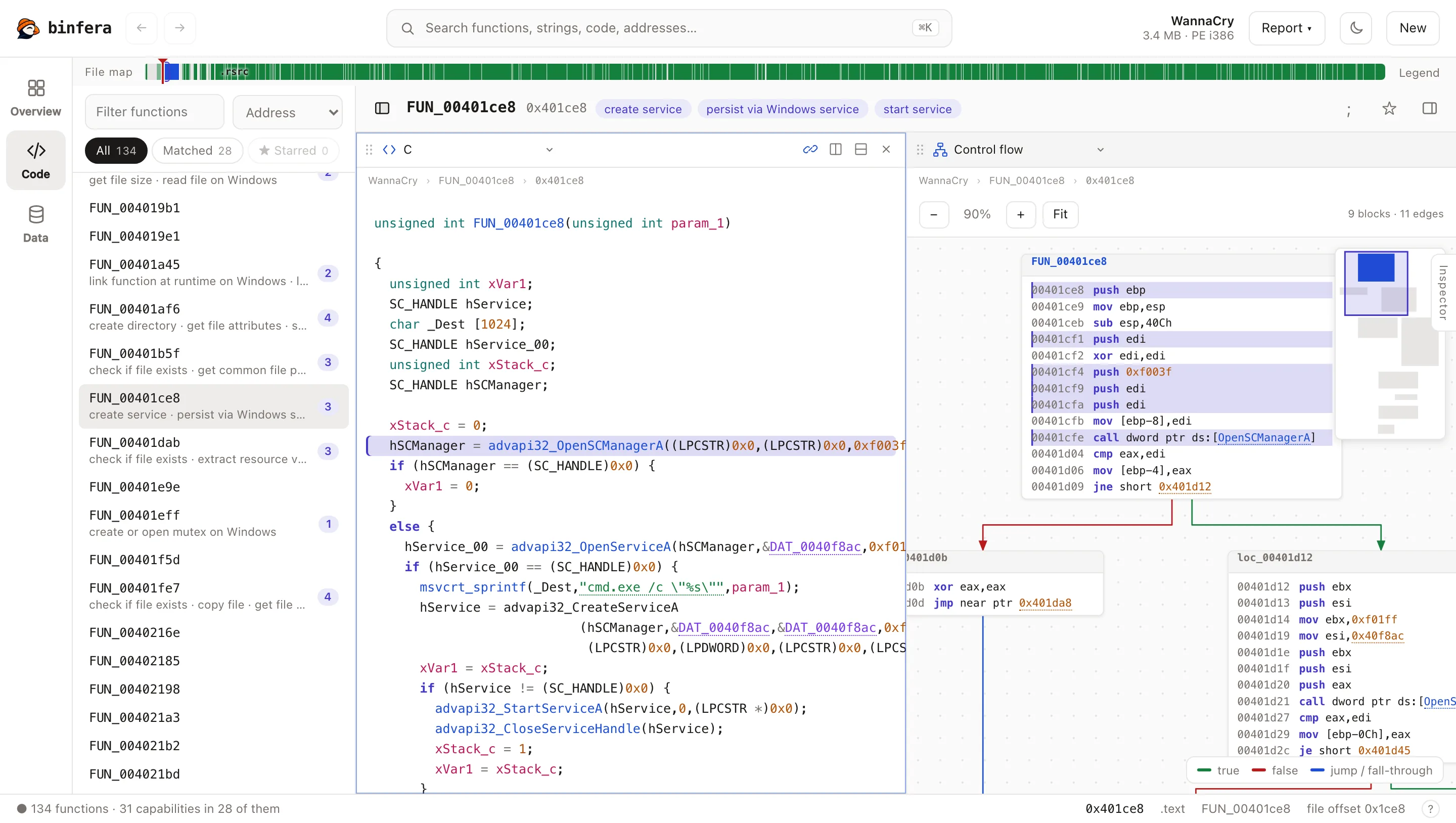
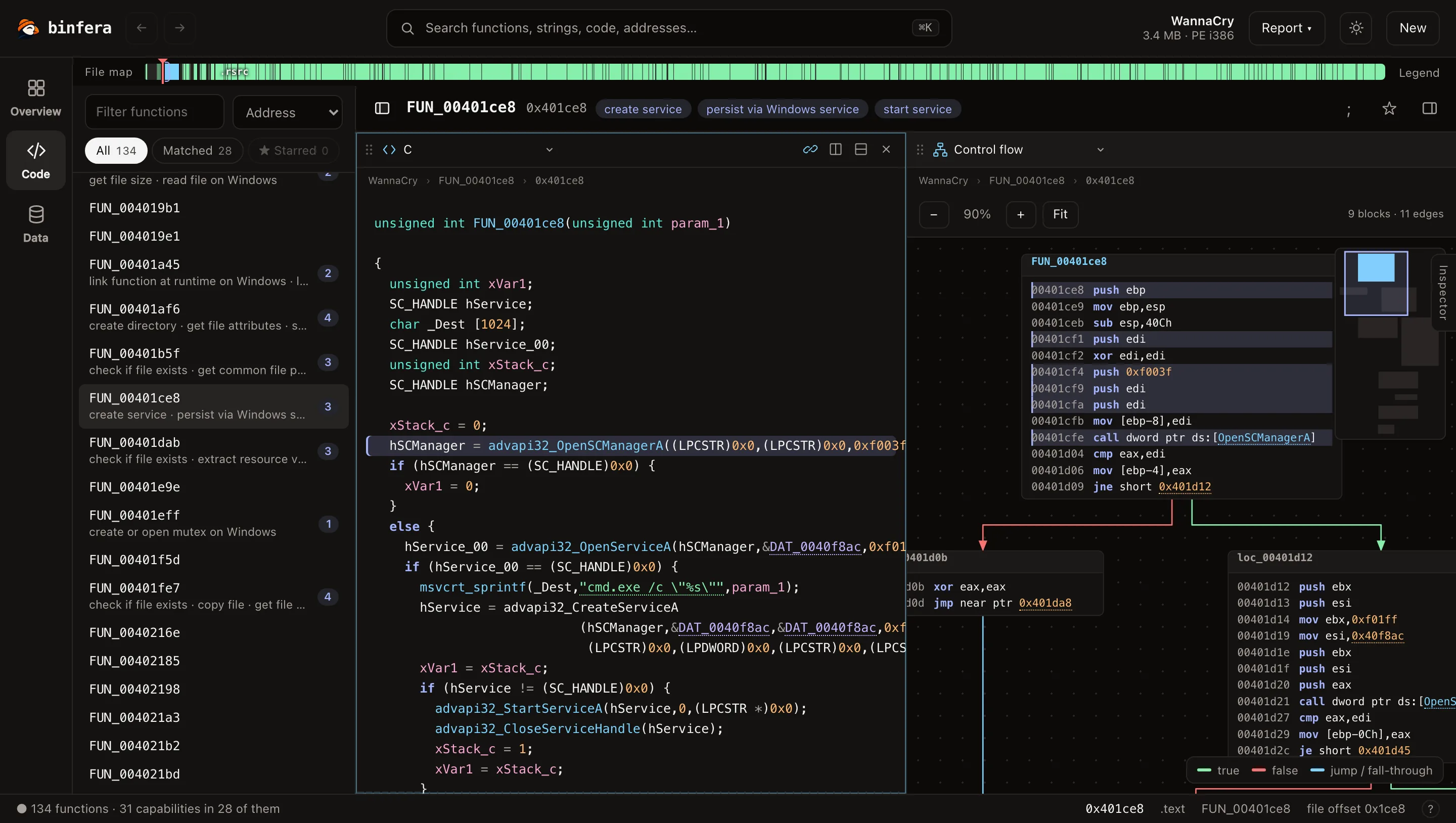
A function opens as decompiled C next to its control-flow graph, with the capabilities it matches above. Panes can show C, assembly, a listing, the graph, the call graph, hex, strings or imports, side by side or stacked. Both themes are built in.
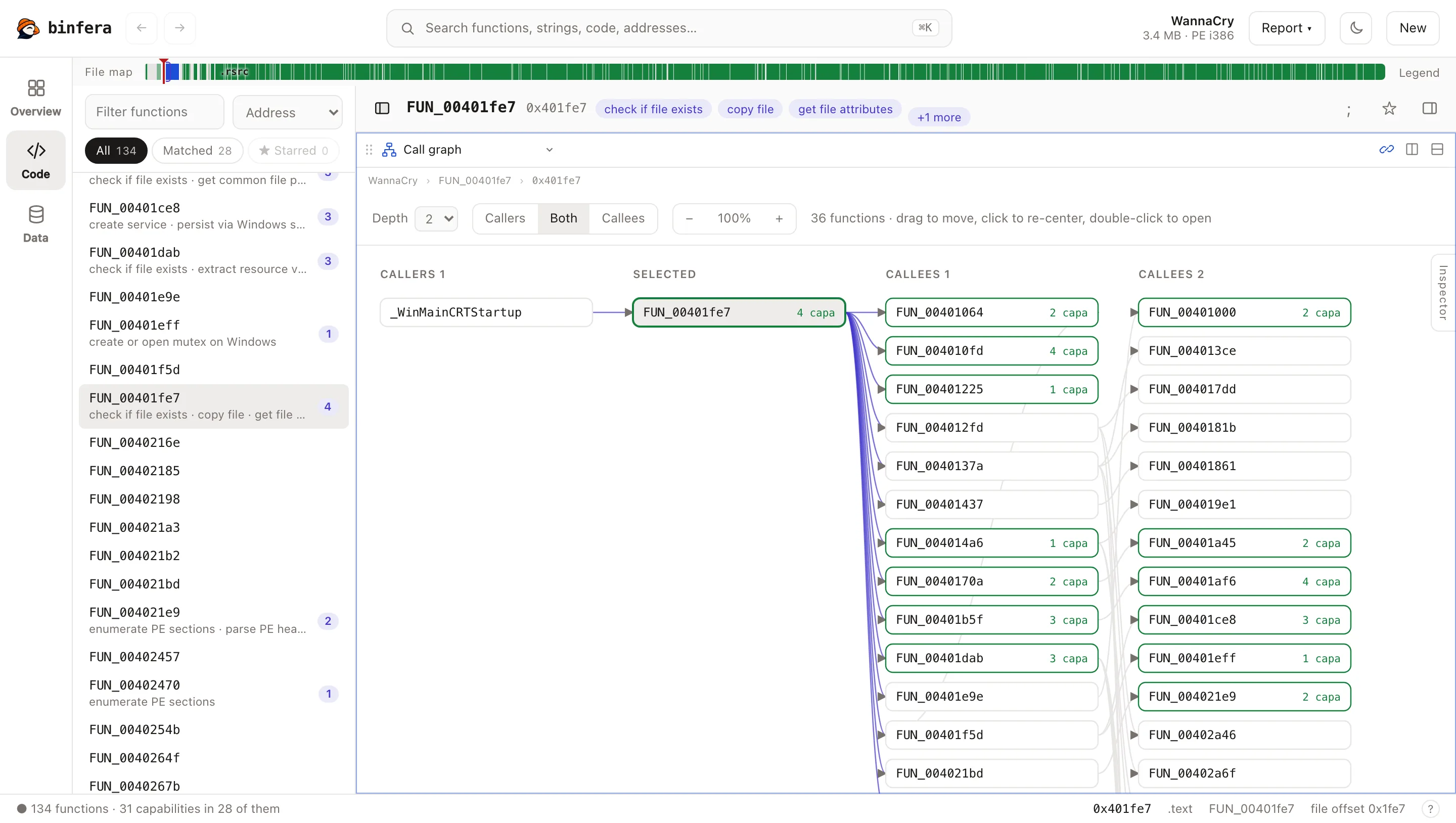
Who calls what
The call graph shows a function's callers and callees two levels out, with the capability count of each, so the interesting branches stand out.
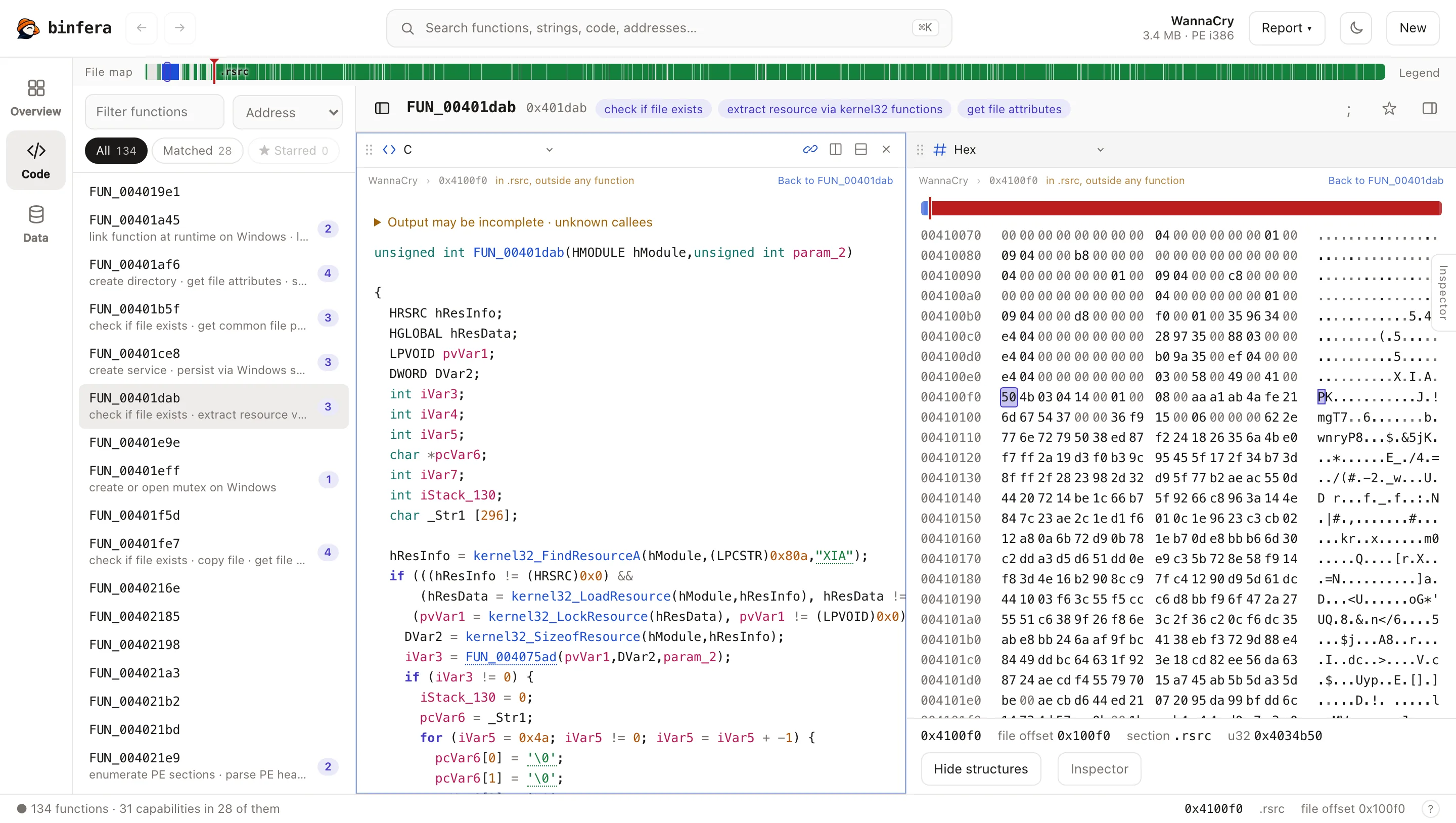
Code and bytes together
The hex view sits beside the code that reads the bytes. Here the function that loads the XIA resource is next to the ZIP archive it extracts, starting with PK.
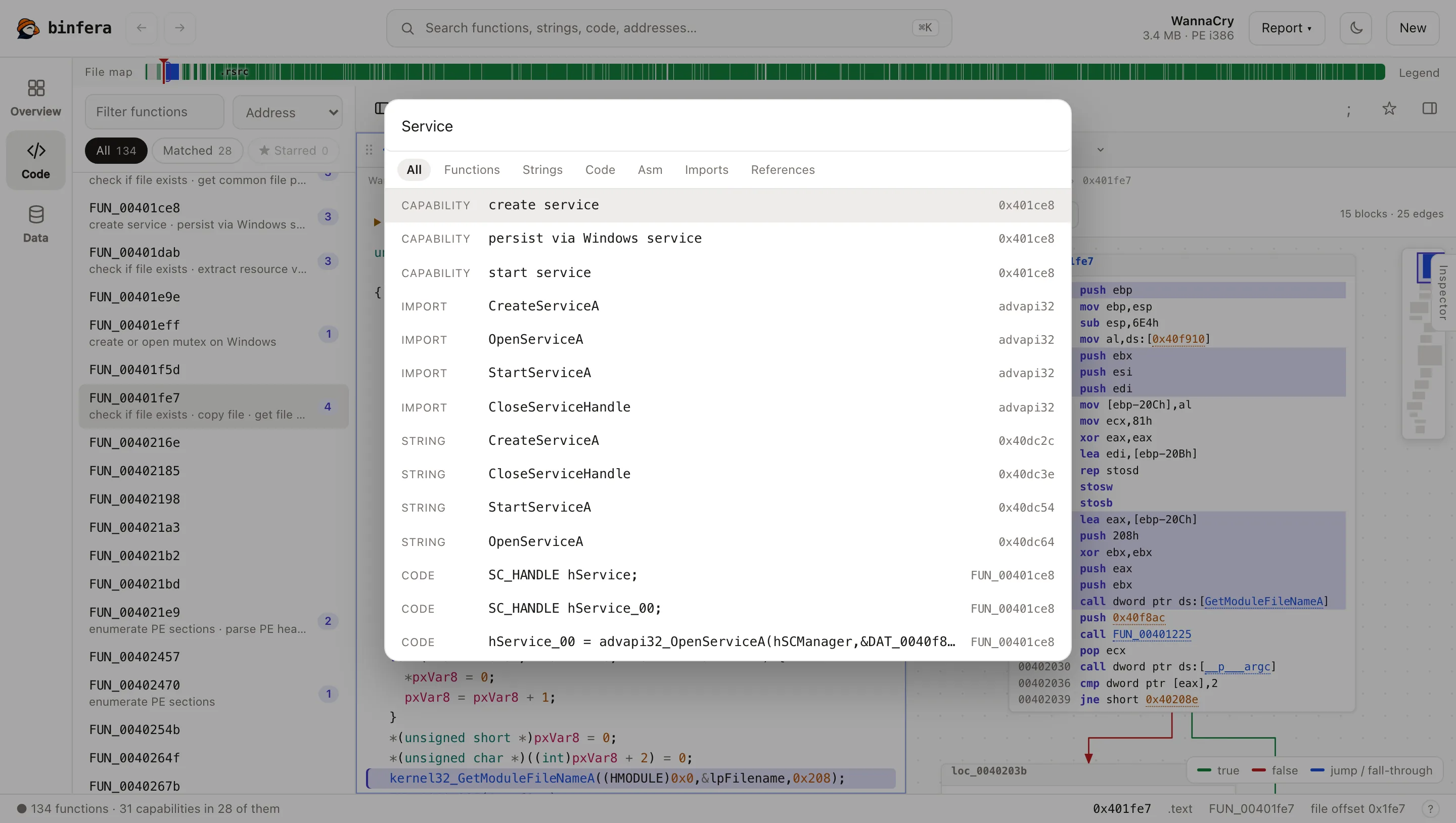
Search everything at once
Cmd+K (Ctrl+K on Windows and Linux) searches functions, capabilities, imports, strings, decompiled code, assembly and references in one list.
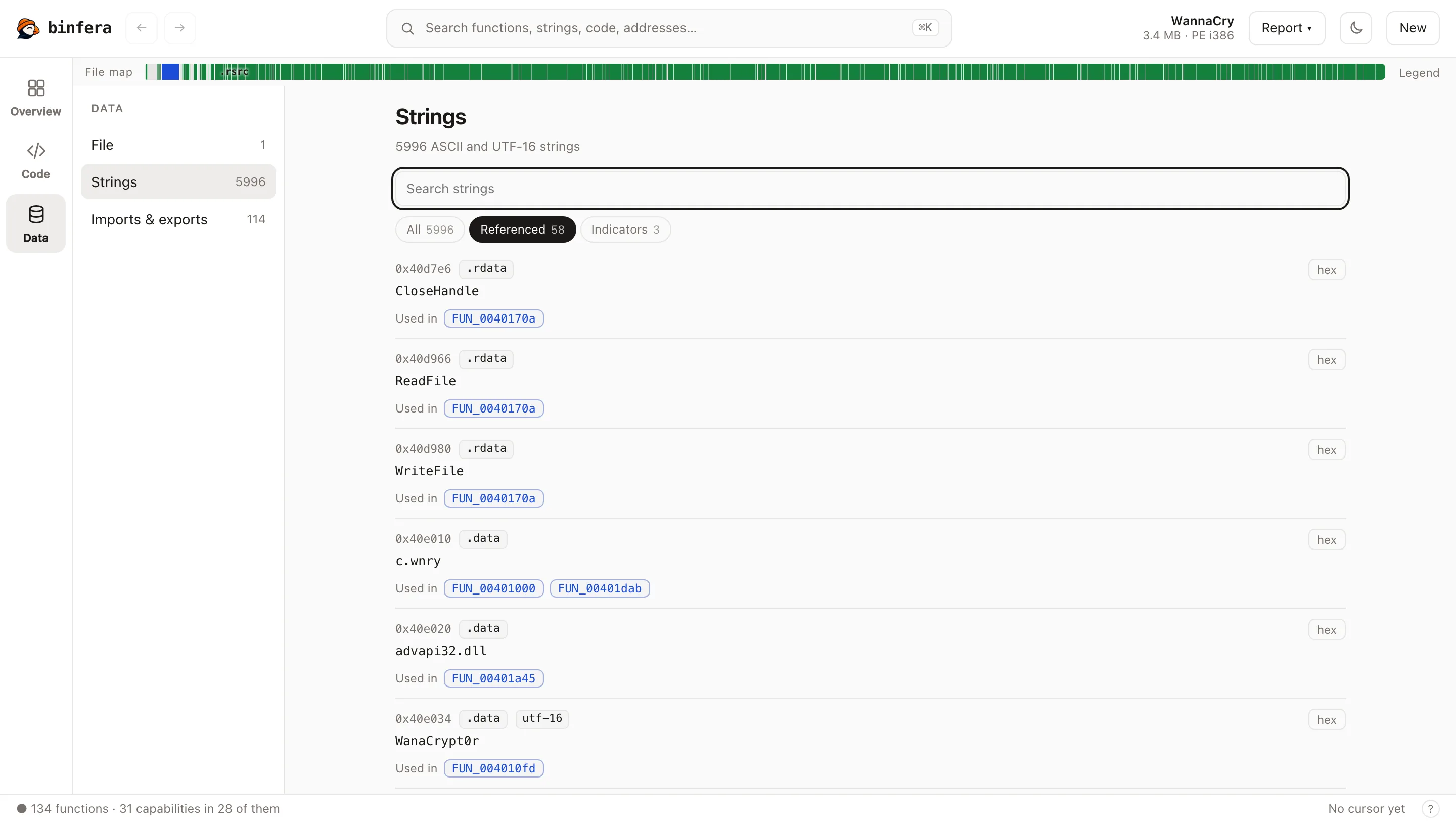
Strings, imports and the file itself
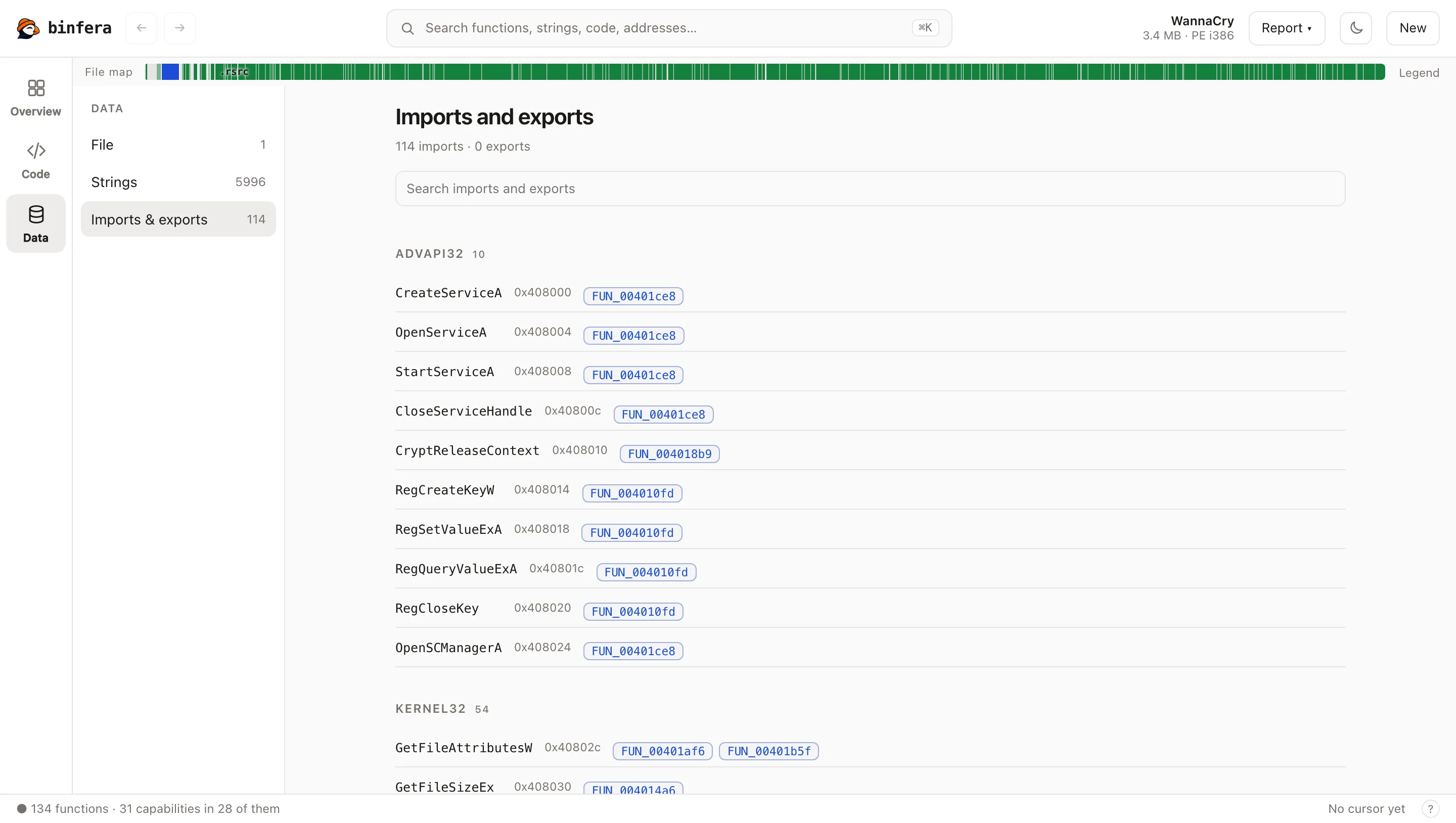
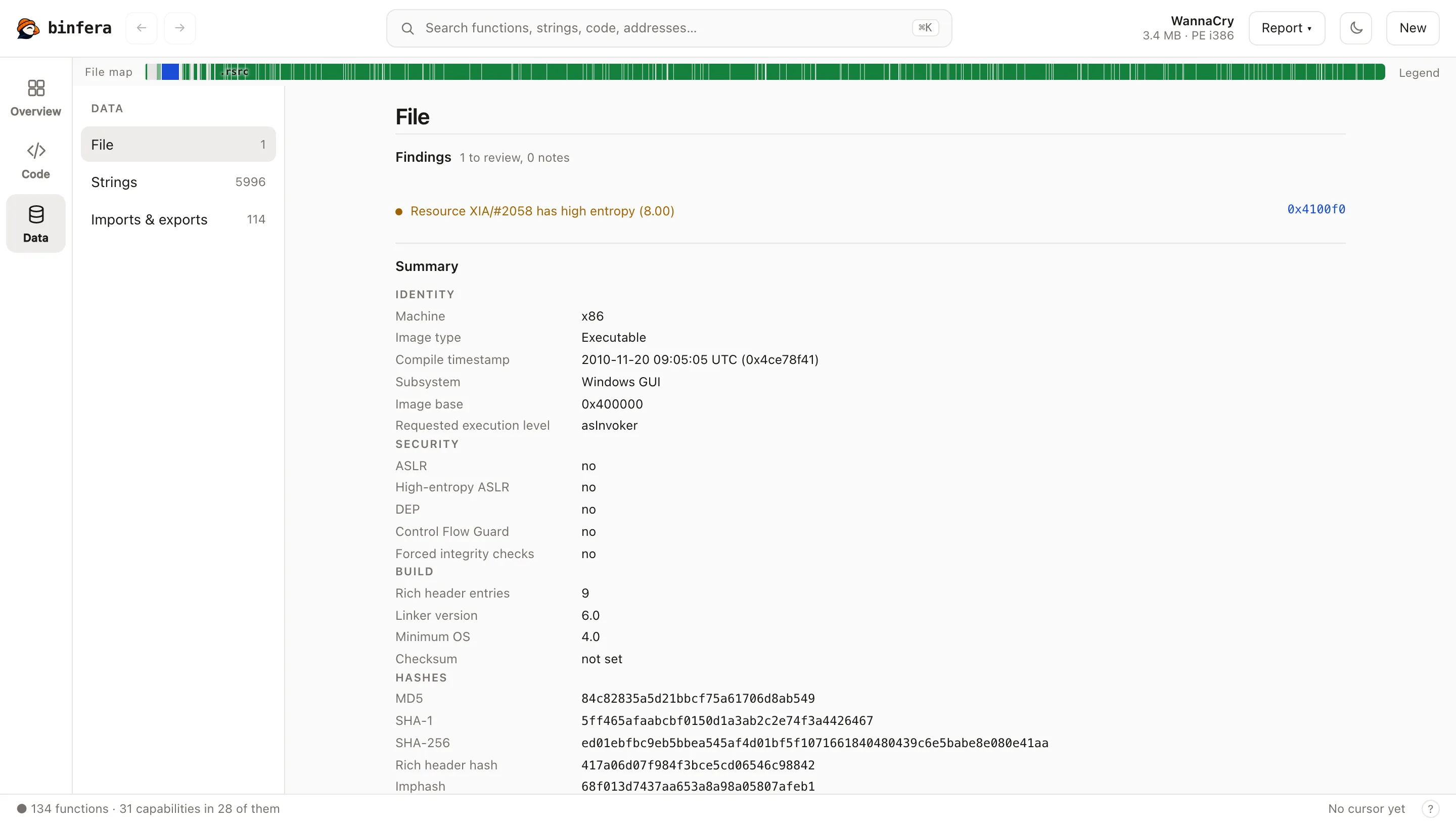
The Data views list strings with the functions that use them, imports with their callers, and the file's headers, security flags and hashes.
Archives
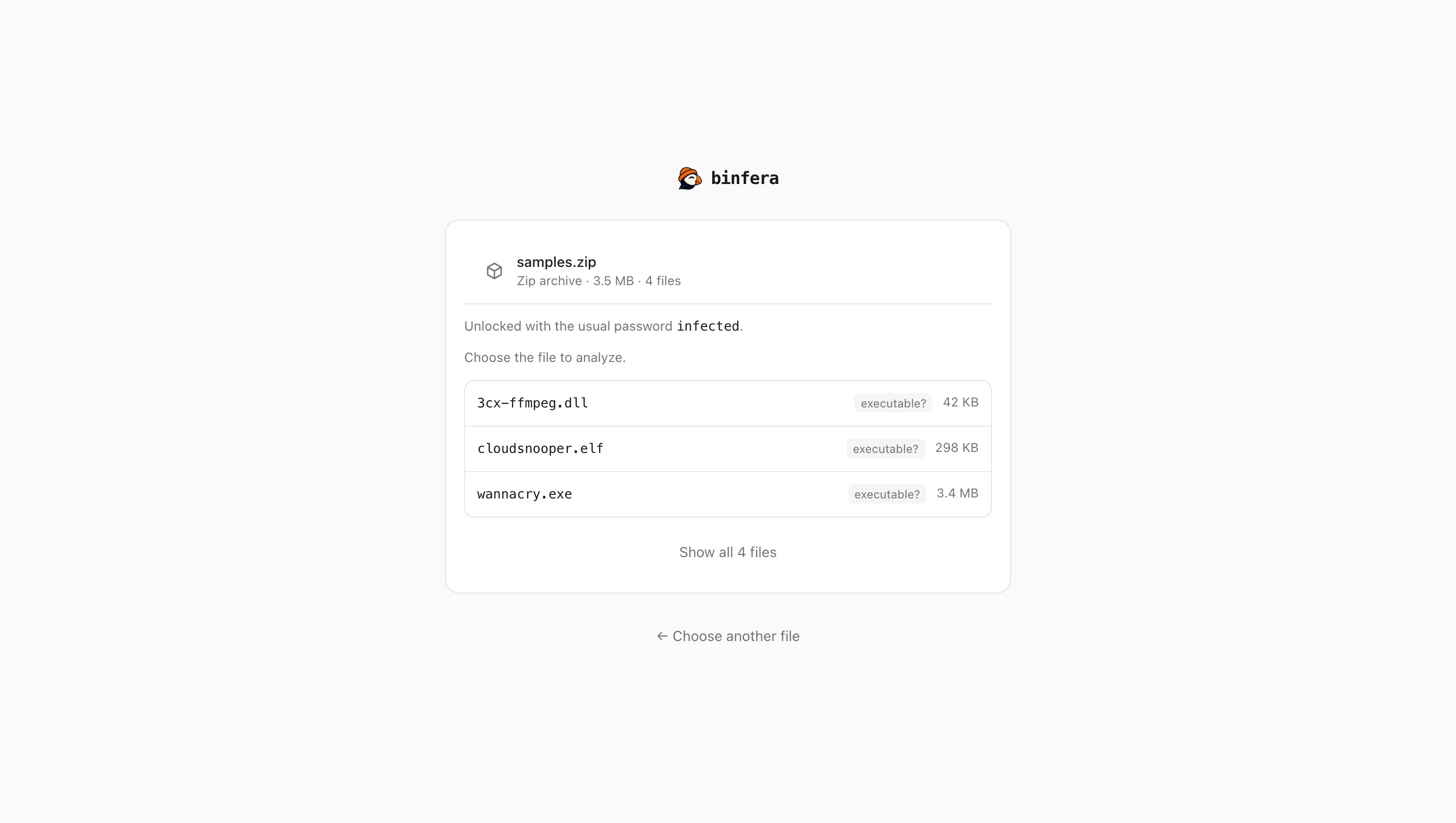
Samples usually arrive zipped. Binfera opens zip and 7z archives in the page, tries the customary passwords such as infected, and lets you pick the member to analyze.
Compare two builds
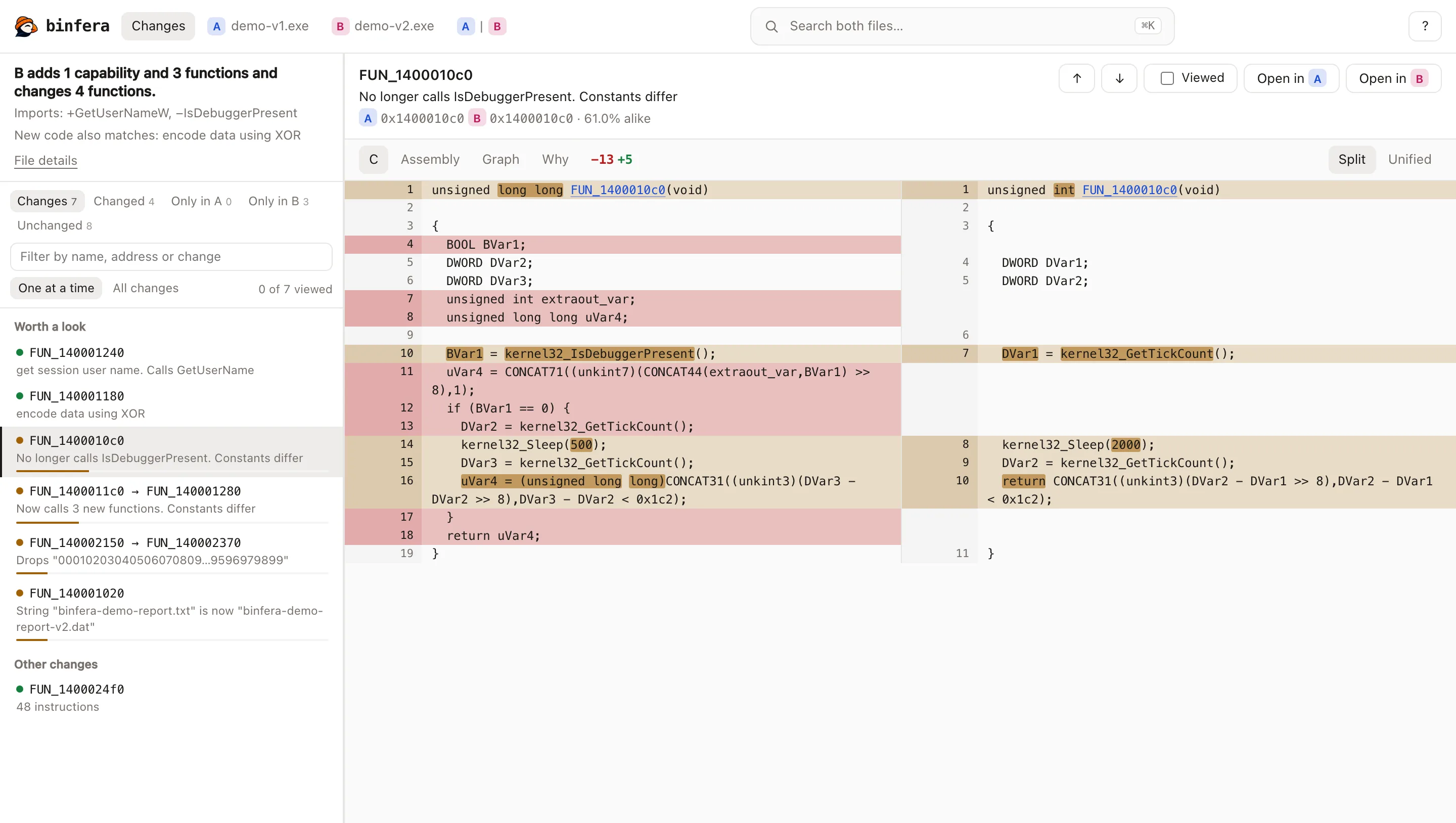
Two files give one sentence on what changed, then every difference ranked by what matters most, each down to the changed lines. See Comparing binaries.
Your own AI agent
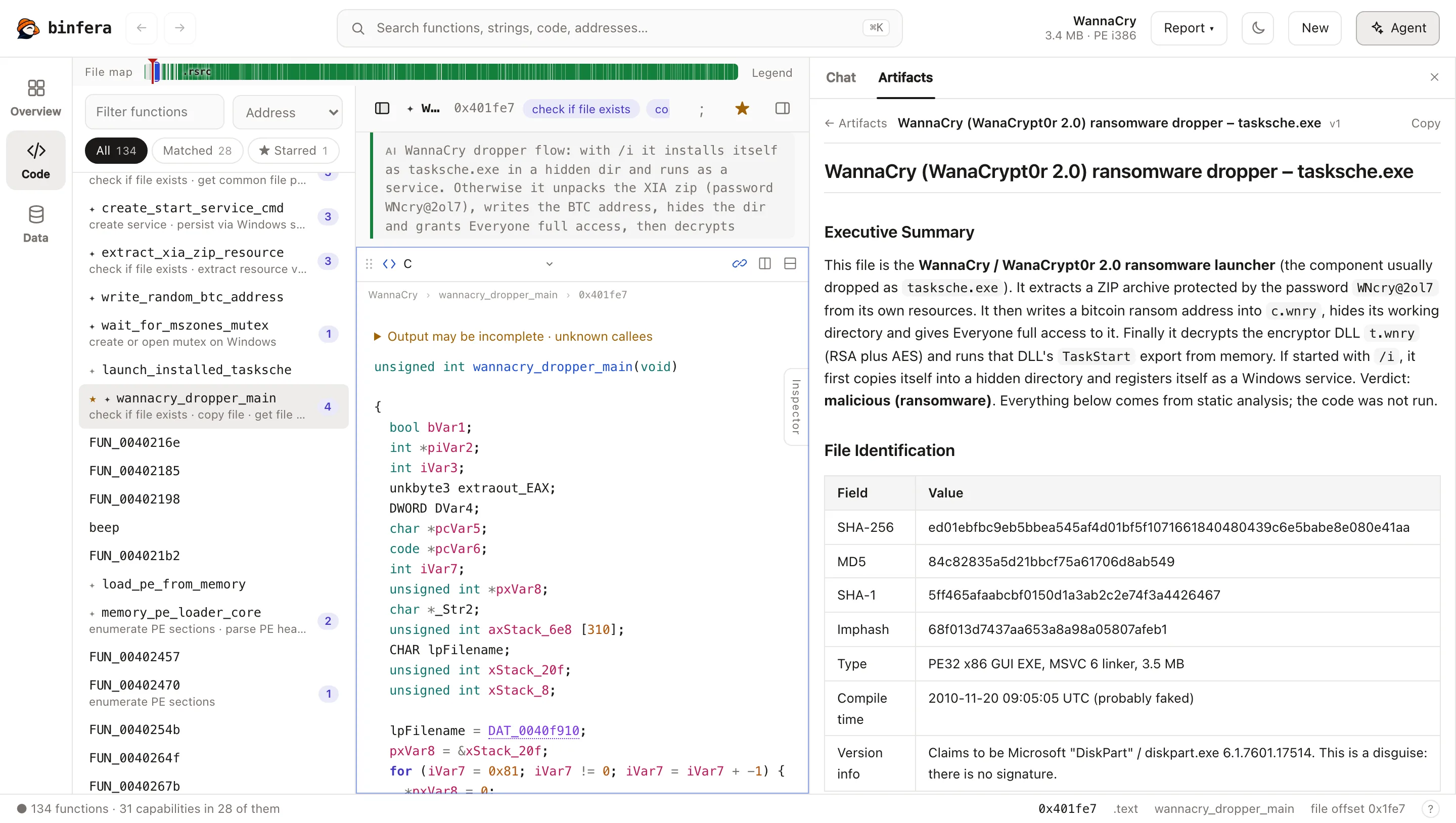
In the desktop app, Agent runs your own Claude Code or Codex on the open file through Binfera's tools. The recording below replays a real Claude Code triage of the same sample: it reads the overview and the key functions, names and comments them (the names appear in the function list as it saves them), and answers with addresses that open the code. See Connect an AI agent.
Reports the agent saves open in Artifacts, next to every run's names and comments, each run with Undo.
The command line
The same engine as one command-line tool: the capability report, any function as C, or every function as one JSON object per line for scripts. binfera diff compares two builds in CI. See Command line.