Connect an AI agent (MCP)
binfera mcp is a local Model Context Protocol server. It lets an agent such as Claude Code, Codex, OpenCode or Pi open binaries, read decompiled code, and save names, comments and reports. It runs over stdio: no port, no daemon, no account.
Connect
Built-in MCP support needs Pi 0.99 or newer. Check the connection with pi mcp list.
If binfera is not on the agent's PATH, use the full path, such as ~/.binfera/bin/binfera mcp. The desktop app's Agent → Artifacts → Use another agent shows these commands with the path filled in.
Ask
There are no workflows to learn. Ask in plain words:
- "Open sample.exe with Binfera and document the most important functions."
- "Analyze sample.exe with Binfera and write a report backed by evidence."
- "What does sample.exe do with the network? Name the functions behind its URLs."
Tools
| Tool | What it does |
|---|---|
open_binary |
Open a file, or reuse its project. Analysis runs in the background. |
get_project |
Status, revision, run history and coverage. |
get_overview, get_capabilities |
File structure and capability matches. |
list_functions |
Filter (undocumented, unexamined, …), sort by importance or bottom_up, search. |
get_function, get_references |
Pseudocode with annotations, strings, callers and callees. |
search_symbols |
Search names, imports, exports and strings. |
emulate_function, emulate_call_sites |
Run a function in the emulator. |
apply_annotations |
Rename functions and variables, add comments, star functions. |
undo_ai_run |
Revert one agent run. |
save_report, get_report |
Versioned reports in Markdown and JSON. |
Your edits come first
- Your own renames and comments are never overwritten by an agent.
- A weaker agent edit never replaces a stronger one (
certain>likely>guess). - Every agent run can be undone. Undo skips anything edited since.
- A report is saved only if every evidence address points into the binary.
Library functions recognised by signature (CRT helpers, for example) are named automatically as the run auto-library, so the agent can focus on application code.
In the desktop app
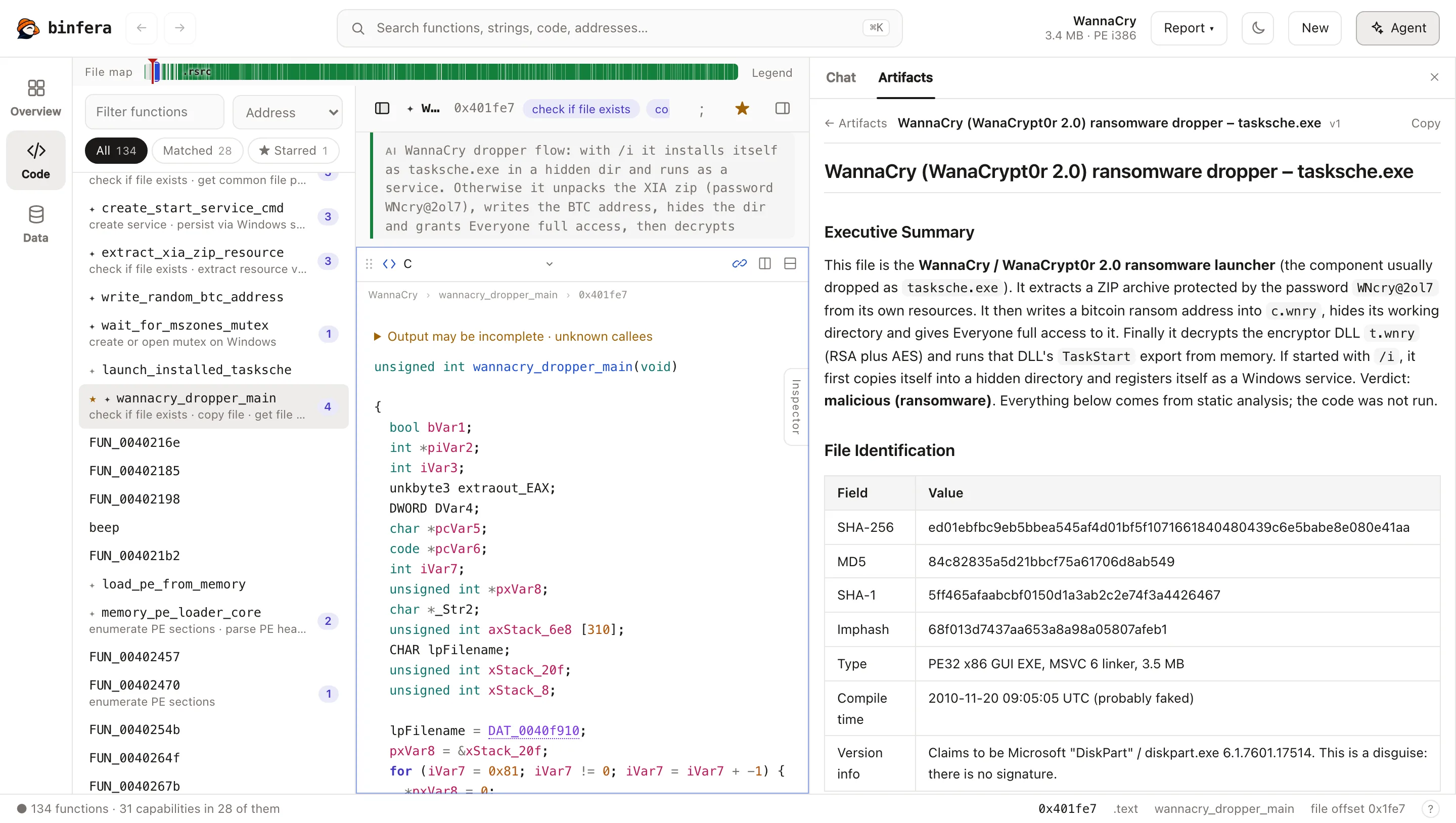
The desktop app opens the same projects. Agent (top right, or Cmd/Ctrl+J) opens a panel with two tabs:
- Chat runs your own Claude Code or Codex on the open file, if it is installed and signed in. Your agent configuration is never edited.
- Artifacts lists agent runs with Undo, recent changes and saved reports. Use another agent shows the commands above with the path filled in.
Changes from the agent appear in the code views within about two seconds.
What is stored
Everything stays in a local SQLite database: projects (keyed by file SHA-256), annotations, the change history and reports.
| OS | Location |
|---|---|
| macOS | ~/Library/Application Support/binfera |
| Linux | $XDG_DATA_HOME/binfera |
| Windows | %APPDATA%\binfera |
| Variable | Effect |
|---|---|
BINFERA_DATA_DIR |
Use another data directory |
BINFERA_CACHE_MAX_MB |
Analysis cache size (default 2 GiB) |
BINFERA_RULES_DIR |
Use your own capa rules (or put them in <data dir>/rules) |
The original file is never modified. The desktop app keeps a copy of each opened file under samples/<sha256> so agents can read it. Forgetting a project removes that copy.
Limits
- Variable renames apply to the pseudocode the server returns. Prototype changes are not supported yet.
- Tools cannot be cancelled. Analysis runs in a separate process with a one-hour limit.
open_binaryreads any path the agent gives it. Use your agent's tool permissions to restrict it.